JobsCentre.pk Free CV Maker 2026 | Complete Step by Step Guide for Creating a Professional CV Online
Introduction
Finding a good job in Pakistan or abroad has become much easier with the help of online platforms. However, one thing that still decides your success is your CV. A professional CV is often the first impression you make on an employer, and in many cases, it determines whether you get an interview or not.
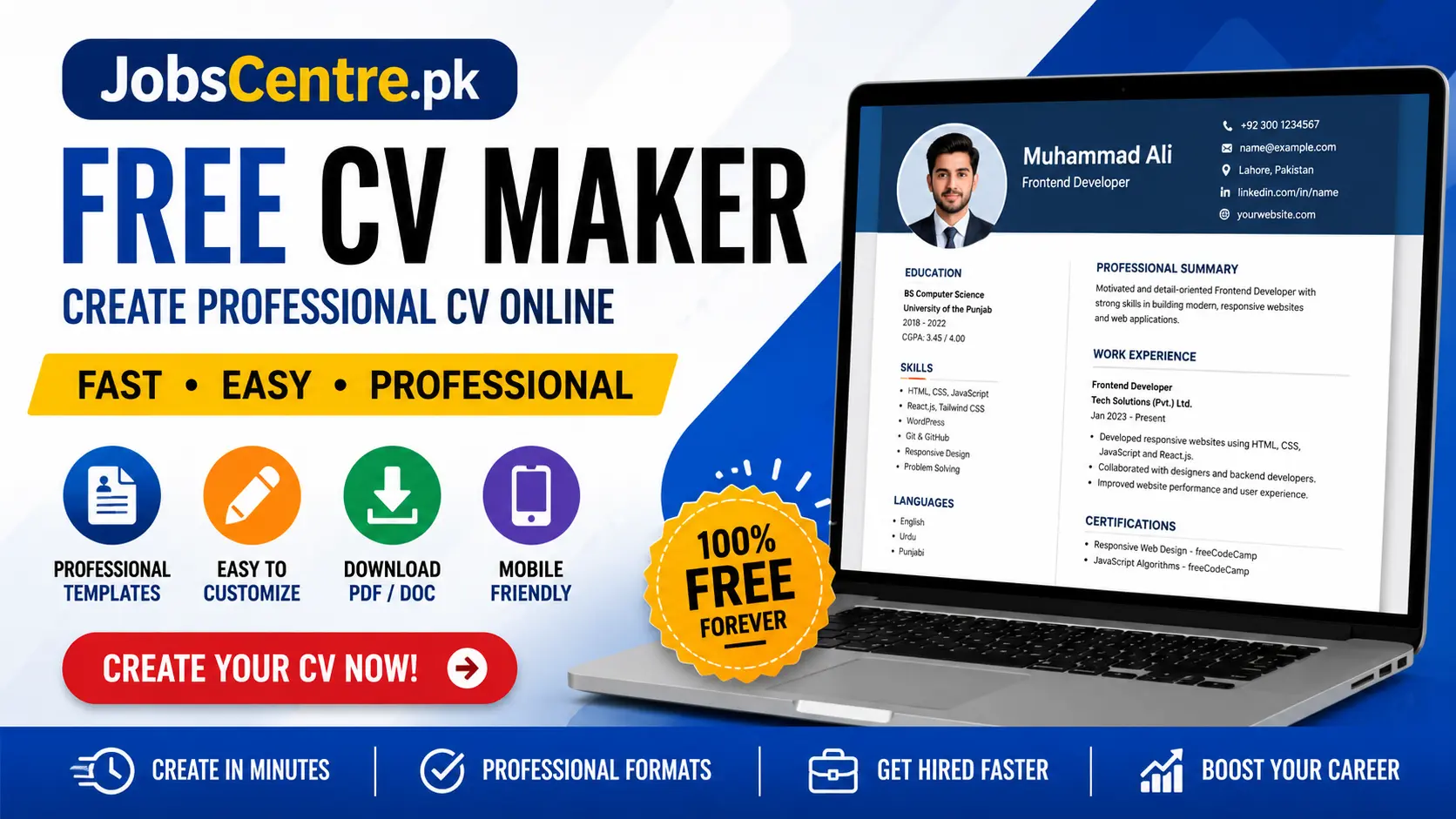
Many candidates miss great opportunities simply because their CV is poorly written, badly formatted, or incomplete. To solve this issue, JobsCentre.pk offers a free CV Maker tool that allows users to create professional resumes quickly and easily.
This guide explains everything about the CV Maker tool in simple English, including features, benefits, and a complete step by step process.
What is JobsCentre.pk Free CV Maker
The JobsCentre CV Maker is an online tool designed to help users create professional resumes without needing advanced computer skills or paid software.
Users can simply enter their information into structured sections, choose a template, and generate a clean and modern CV within minutes.
Who Can Use This Tool
This tool is suitable for:
- Students
- Fresh graduates
- Government job applicants
- Private job seekers
- Freelancers
- Remote workers
- Experienced professionals
- Overseas job applicants
The tool is designed to be simple, fast, and beginner friendly.
Why a Professional CV is Important
A CV is the first document an employer reviews before shortlisting candidates. Recruiters usually spend only a few seconds scanning a resume, so presentation matters a lot.
Benefits of a Good CV
A professional CV helps you:
- Create a strong first impression
- Present your skills clearly
- Highlight education and experience
- Increase chances of getting interviews
- Apply confidently for jobs
- Stand out among other applicants
Without a proper CV, even qualified candidates may not get noticed.
Main Features of JobsCentre CV Maker
Free CV Creation
You can create a complete resume without paying any fee. This is especially useful for students and unemployed individuals.
Simple User Interface
The tool follows a step by step structure, making it easy for beginners to use.
Professional Templates
Users can choose from multiple CV templates such as classic, modern, and creative styles.
Fast Resume Building
A complete CV can be created within a few minutes by filling in the required sections.
Mobile Friendly Design
The tool works smoothly on mobile phones, tablets, and computers.
Download Options
You can download your CV in PDF or Word format for job applications.
Organized Sections
The CV is divided into clear sections such as:
- Personal Information
- Education
- Skills
- Work Experience
- Certifications
- Languages
This improves readability and professionalism.
Step by Step Guide to Create a Professional CV
Step 1: Enter Personal Information
Start by adding your basic details:
- Full name
- Phone number
- Email address
- City
- LinkedIn profile
- Website or portfolio
Tips
- Use a professional email address
- Avoid spelling mistakes
- Do not use nicknames
- Make sure your phone number is active
Step 2: Add Career Objective
The career objective is a short summary of your goals and skills.
Example
A motivated graduate looking to use skills and contribute to company growth.
Tips
- Keep it short
- Focus on your strengths
- Avoid long paragraphs
Step 3: Add Educational Information
Education is very important, especially for fresh candidates.
Include:
- Degree name
- Institute name
- Passing year
- Marks or CGPA
- Major subjects
Always list your latest qualification first.
Step 4: Add Work Experience
If you have experience, include:
- Company name
- Job title
- Duration
- Responsibilities
If you are a fresh graduate, you can include:
- Internships
- Freelance work
- Academic projects
- Volunteer work
Step 5: Add Skills
This section highlights your abilities.
Common Skills
- Microsoft Office
- Communication
- Graphic Designing
- SEO
- Web Development
- Content Writing
- Digital Marketing
- Data Entry
Only include skills you actually know.
Step 6: Add Certifications
Certifications improve your CV and show your expertise.
Examples
- Digital Marketing Certificate
- SEO Certification
- Graphic Design Course
- Web Development Training
These increase your credibility.
Step 7: Add Languages
Mention languages you can speak or write.
Examples
- English
- Urdu
- Punjabi
Language skills are useful for international and multinational jobs.
Step 8: Upload a Professional Photo
Some templates allow photos.
Tips
- Use a formal picture
- Avoid selfies
- Use a simple background
- Wear professional clothes
For many international jobs, photos are optional.
Step 9: Review Your CV
Before downloading, check carefully:
- Spelling errors
- Grammar mistakes
- Incorrect dates
- Wrong contact details
- Missing information
Small mistakes can create a negative impression.
Step 10: Download or Print
Once your CV is complete, download it and use it for:
- Government jobs
- Private jobs
- Online applications
- Email submissions
- Freelancing platforms
- Overseas opportunities
Best Tips to Create a Strong CV
Keep It Simple
Avoid too many colors or complex designs.
Use Professional Language
Write clearly and avoid informal words.
Keep Information Accurate
Never add fake qualifications or experience.
Use Bullet Points
This improves readability.
Customize Your CV
Adjust your CV according to each job.
Use Keywords
Many companies use systems that scan resumes for keywords.
Common CV Mistakes to Avoid
Spelling Errors
Always proofread your CV.
Long Paragraphs
Keep information short and clear.
Fake Information
Employers may verify your details.
Poor Formatting
Messy CVs look unprofessional.
Unprofessional Email
Avoid casual email addresses.
Benefits of Using an Online CV Builder
Online CV tools save time and improve quality.
Key Advantages
- Easy editing
- Professional formatting
- Faster creation
- Mobile access
- Better organization
- Printable formats
This is especially helpful for Pakistani job seekers who want a simple and quick solution.
Who Should Use This CV Maker
Students
Students can create simple CVs for internships and entry level jobs.
Fresh Graduates
They can present academic achievements and skills professionally.
Experienced Professionals
They can organize work experience effectively.
Government Job Applicants
Useful for applying to FPSC, PPSC, and other departments.
Freelancers
They can showcase projects and skills clearly.
Final Thoughts
A professional CV plays a major role in getting a job. Whether you are a student, fresh graduate, or experienced professional, a well structured resume increases your chances of success.
The JobsCentre.pk Free CV Maker makes the process simple, fast, and accessible for everyone. It helps users create high quality resumes without needing design skills or paid tools.
Disclaimer
This article is for informational purposes only. Users should verify details and use their own judgment while creating and submitting CVs for job applications.