Why DLIMS Application Gets Rejected in May 2026? Complete Reasons and Easy Fixes
Thousands of people in Punjab are currently facing the DLIMS application rejected issue while applying for learner permits, driving license renewals, duplicate licenses, and DLIMS e license services. In May 2026, the Punjab government introduced stricter verification checks in the DLIMS Punjab system, which increased rejection cases across the province.
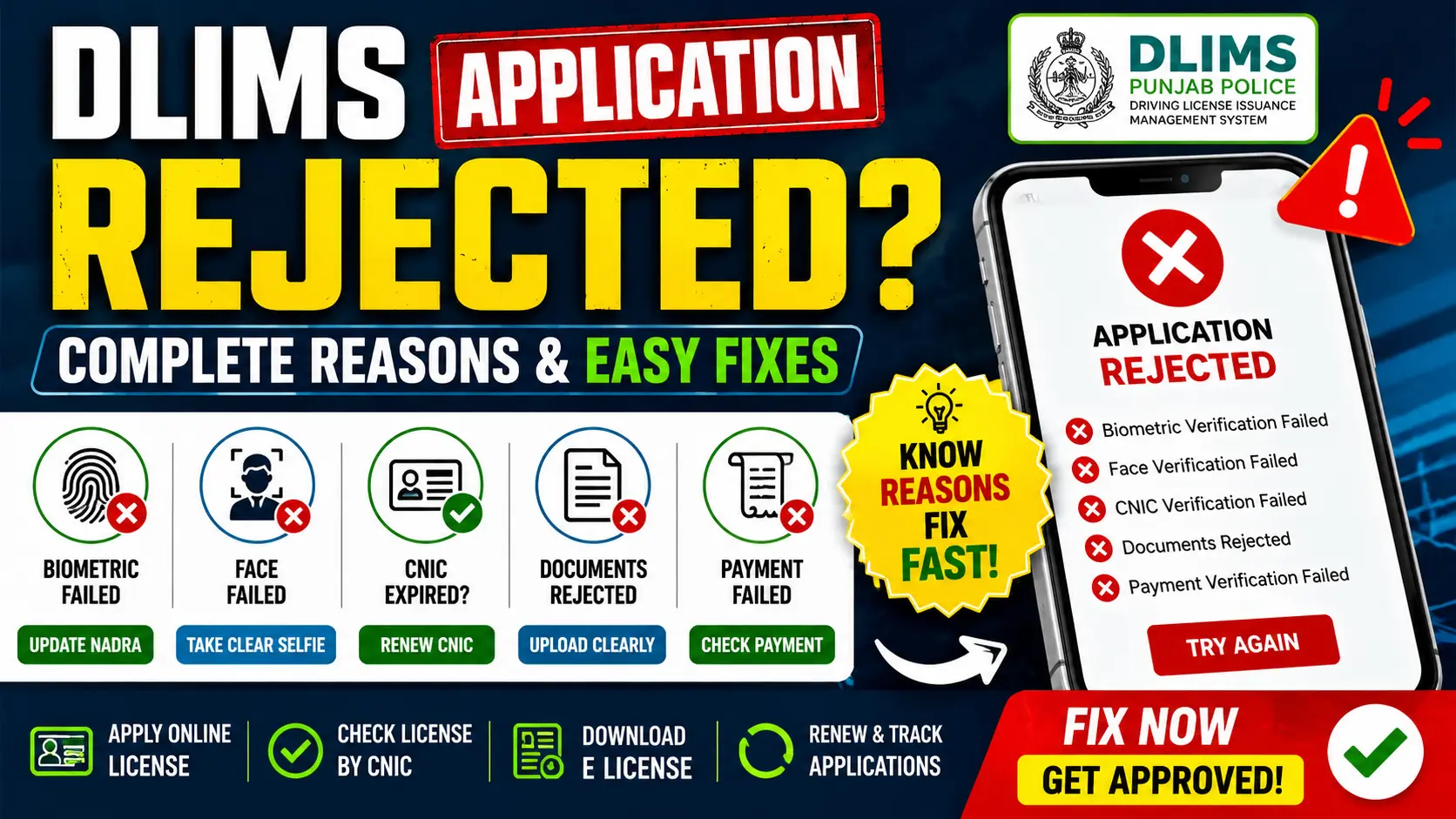
Many applicants are seeing errors like:
- DLIMS verification failed
- Biometric verification failed
- Face verification unsuccessful
- Application rejected
- CNIC verification failed
- Documents rejected
If your application has been rejected, there is no need to panic. Most DLIMS issues can be solved easily after understanding the exact reason behind the rejection.
In this complete guide, we will explain all the major causes of DLIMS application rejection in easy English along with simple solutions to fix them successfully.
What is DLIMS Punjab?
DLIMS Punjab stands for Driving License Issuance Management System. It is the official online portal launched by Punjab Police to help citizens manage driving license services digitally.
Using the DLIMS Punjab portal, users can:
Services Available on DLIMS Punjab
- Apply for learner permits
- Renew driving licenses
- Download DLIMS e license
- Verify driving licenses online
- Track license applications
- Apply for international driving permits
- Perform online driving license check by CNIC
- Apply for duplicate licenses
The system works together with NADRA verification to confirm applicant identity securely.
Why DLIMS Applications Are Getting Rejected in May 2026
The biggest reason behind increased rejection cases is the new security and verification system introduced in May 2026. The portal now performs strict checks for biometrics, face verification, documents, payments, and CNIC information.
Below are the most common reasons why applications are rejected.
1. Biometric Verification Failed
Biometric mismatch is currently the most common reason behind DLIMS Punjab verification failures.
This issue usually happens when:
- Fingerprints are unclear
- NADRA biometrics are outdated
- Hands are damaged
- Fingerprints do not scan properly
When the DLIMS system cannot match fingerprints with NADRA records, the application gets rejected automatically.
Common Errors Users See
- DLIMS verification failed
- Biometric verification unsuccessful
- Identity verification failed
Easy Solution for Biometric Verification Failed
To fix this problem:
- Visit your nearest NADRA office
- Update your fingerprints
- Wait 24 to 48 hours for system update
- Retry the DLIMS application
This solution has helped many applicants successfully complete verification in May 2026.
2. Face Verification Failed
The new DLIMS e license system also uses selfie verification during online applications.
Applications may get rejected because:
- Lighting is poor
- Selfie is blurry
- Camera quality is low
- Face is partially covered
- Internet connection becomes unstable
Common Error Messages
- Face does not match
- Verification failed
- Identity verification unsuccessful
How to Fix Face Verification Problems
Follow these tips carefully:
- Use bright lighting
- Remove glasses and caps
- Keep the camera steady
- Use a high quality mobile camera
- Look directly into the camera
Many users solved the issue simply by retaking a clear selfie.
3. Expired CNIC
An expired CNIC is another major reason for DLIMS application rejection.
The system automatically checks CNIC validity through NADRA records. If your CNIC has expired, the application cannot continue.
What Happens If CNIC Is Expired
- Verification stops
- Application gets rejected
- DLIMS services become unavailable
Solution
- Renew your CNIC first
- Wait for NADRA records to update
- Apply again after confirmation
Always use a valid CNIC while applying online.
4. Incorrect Personal Information
Small typing mistakes can also cause application rejection.
Common Errors
- Wrong CNIC number
- Incorrect date of birth
- Name spelling mismatch
- Wrong father name
- Address mismatch
The DLIMS Punjab verification system compares all details directly with NADRA records.
Solution
Before submitting your form:
- Double check every detail
- Match information exactly with CNIC
- Avoid spelling mistakes
- Use correct personal information
Correct information improves approval chances significantly.
5. Blurry or Invalid Document Uploads
Many applications are rejected because uploaded documents are unclear or incomplete.
Common Upload Problems
- Cropped images
- Blurry CNIC scans
- Wrong file format
- Large file size
- Unclear photographs
This issue is very common during learner permit and license renewal applications.
Solution
Always upload:
- Clear scanned documents
- Fully visible CNIC copy
- Correct file format
- High quality images
Proper document uploads can prevent most DLIMS rejection errors.
6. Payment Verification Failed
Some applicants either forget to pay the official fee or upload incorrect payment proofs.
Common Payment Problems
- Wrong challan uploaded
- Invalid payment receipt
- Incomplete PSID proof
- Payment not confirmed
Solution
To avoid payment rejection:
- Pay the official fee carefully
- Upload clear payment receipts
- Save PSID proof safely
- Confirm payment status before submission
This step is extremely important for successful approval.
7. Learner Permit Expired
Applicants applying for permanent licenses after learner permit expiry may face rejection.
Why This Happens
- Learner permit validity has ended
- Driving test eligibility expired
Solution
- Renew your learner permit
- Reapply for the driving test
- Ensure learner permit remains active
Always check learner permit validity before applying for a permanent license.
8. Medical Certificate Issues
Commercial and heavy vehicle license applicants must upload medical certificates.
Applications may get rejected if:
- Medical certificate is expired
- Wrong document uploaded
- Medical certificate is missing
Solution
Upload an updated medical certificate issued by an authorized doctor.
9. DLIMS Server Problems and Technical Errors
Many users in May 2026 are also facing technical problems because of heavy traffic on the portal.
Common Technical Problems
- Server crashes
- OTP delays
- Verification timeout
- Pending applications
- Random rejection errors
Solution
Try applying during:
- Early morning hours
- Late night hours
- Non peak traffic times
Avoiding busy hours can improve success rates significantly.
10. Duplicate Applications
Submitting multiple applications using the same CNIC can also trigger rejection.
The system may consider duplicate applications suspicious activity.
Solution
- Submit only one application
- Wait for status updates patiently
- Avoid repeated submissions
This helps prevent unnecessary rejection issues.
DLIMS Learner Check Online Punjab
Punjab citizens can also use the online learner verification system to track application status.
Available Learner Services
- DLIMS learner check online Punjab
- Application tracking
- Learner permit verification
- Approval status checking
The online system makes learner permit management easier and faster.
Online Driving License Check by CNIC
Users can also verify their driving licenses online through CNIC verification.
Services Available
- Online driving license check by CNIC
- License validity checking
- Renewal tracking
- DLIMS Punjab verification
How to Verify License Online
- Open the DLIMS portal
- Enter your CNIC number
- Submit the request
- View license details instantly
This service helps users confirm license authenticity quickly.
DLIMS E License Punjab
The DLIMS e license system allows citizens to download digital driving licenses directly on mobile phones.
Benefits of DLIMS E License
- Instant mobile access
- Easy verification
- Quick download
- Helpful during traffic checking
The E license Punjab online service is available through the official government portal.
Common DLIMS Rejection Messages Explained
Here are the most common rejection messages and their meanings.
“Biometric Verification Failed”
Fingerprint mismatch with NADRA records.
“Face Verification Failed”
Selfie verification was unsuccessful.
“CNIC Verification Failed”
CNIC is expired or information is incorrect.
“Documents Rejected”
Uploaded documents are unclear or invalid.
“Payment Verification Failed”
Fee payment confirmation is missing.
“Application Under Review”
Manual verification is still pending.
How to Avoid DLIMS Application Rejection
You can improve approval chances by following these important tips:
- Update NADRA biometrics
- Use correct CNIC information
- Upload clear documents
- Take proper selfies
- Use stable internet connection
- Avoid duplicate applications
- Retry during low traffic hours
These steps can reduce rejection chances significantly.
How Long Does DLIMS Verification Take?
The average processing times are:
Estimated Verification Time
- Online verification: 5 to 20 minutes
- Manual review: 1 to 3 working days
- NADRA biometric update cases: up to 48 hours
Delays may happen during heavy server traffic.
Final Words
The increase in DLIMS application rejected cases during May 2026 is mainly connected to:
- Biometric mismatches
- Face verification problems
- Expired CNICs
- Incorrect personal details
- Document upload issues
- Heavy server traffic
Fortunately, most problems can be solved easily by:
- Updating NADRA biometrics
- Correcting application details
- Uploading clear documents
- Improving selfie verification
- Retrying applications properly
Punjab citizens can continue using DLIMS verification, online driving license check by CNIC, DLIMS learner check online Punjab, and DLIMS e license services safely through the official Punjab government portal.
Disclaimer
This article is created only for informational and educational purposes. We are not affiliated with DLIMS Punjab, Punjab Police, or NADRA. Rules, procedures, and verification systems may change over time. Users should always verify the latest updates and requirements through the official DLIMS Punjab portal before submitting applications.